01 · 8:00 am
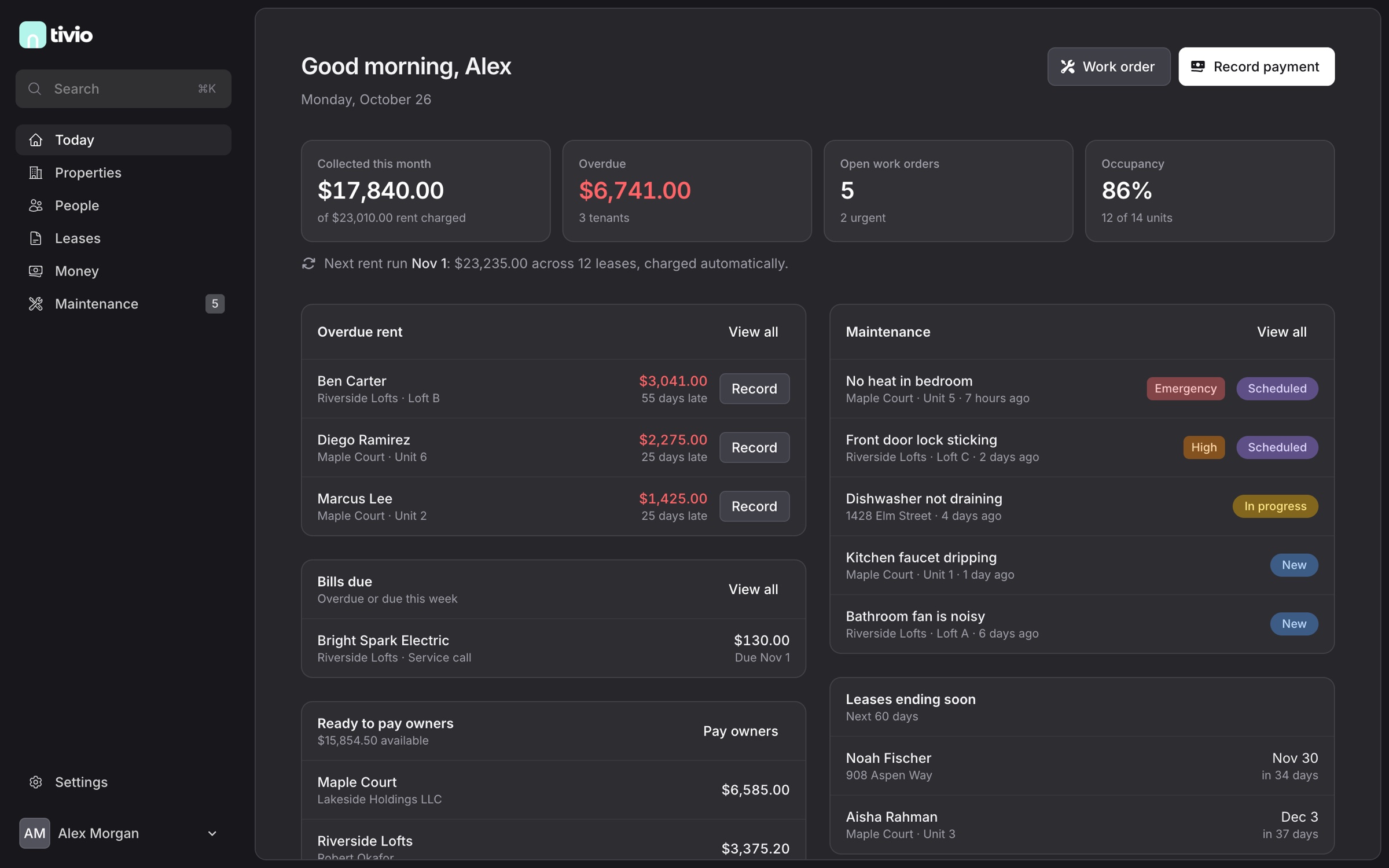
Open Today
Collected rent, what's overdue, open repairs and occupancy at the top. Below: who's late, which jobs are urgent, which bills are due, which owners can be paid and which leases end soon. The next automatic rent run is spelled out, so there are no surprises.
02 · 8:05 am
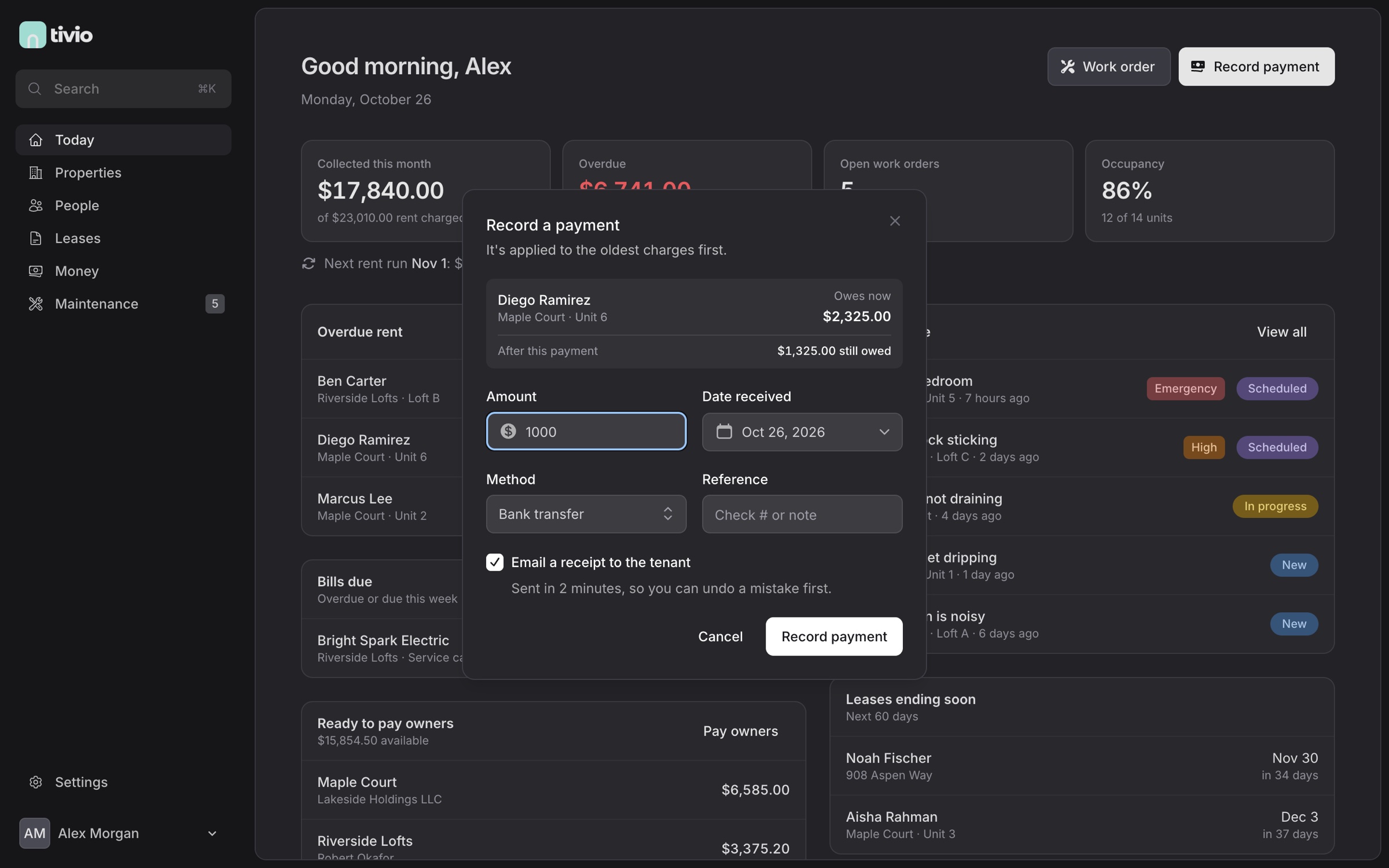
Record a payment
Click Record next to a late tenant. Tivio shows what they owe now and what they'll still owe after this payment, applies it to the oldest charges first and emails a receipt two minutes later, so you can undo a mistake before it goes out.
03 · 8:10 am
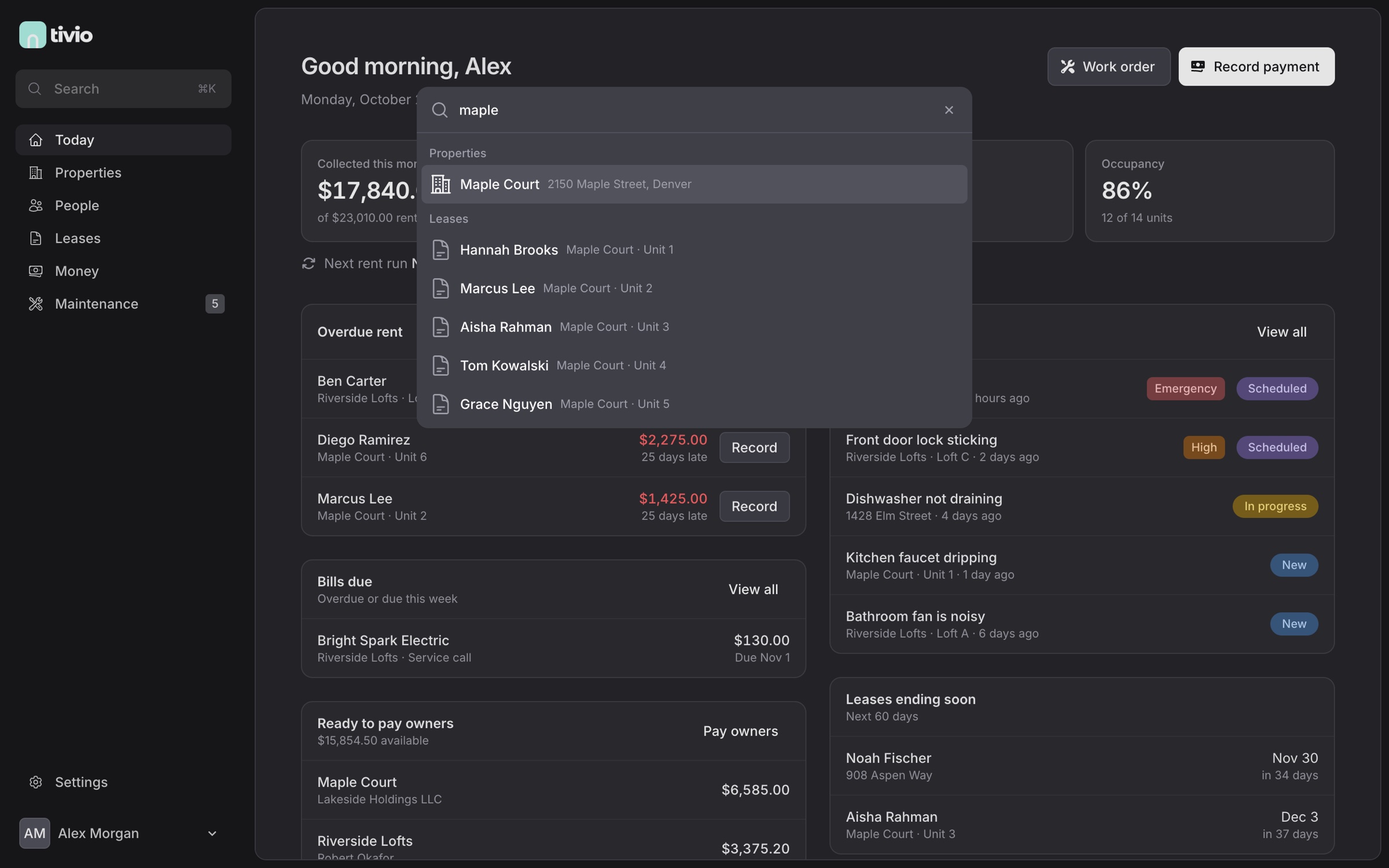
Find anything with ⌘K
Press ⌘K anywhere and type. Properties, units, people and leases come up as you type.
04 · 8:12 am
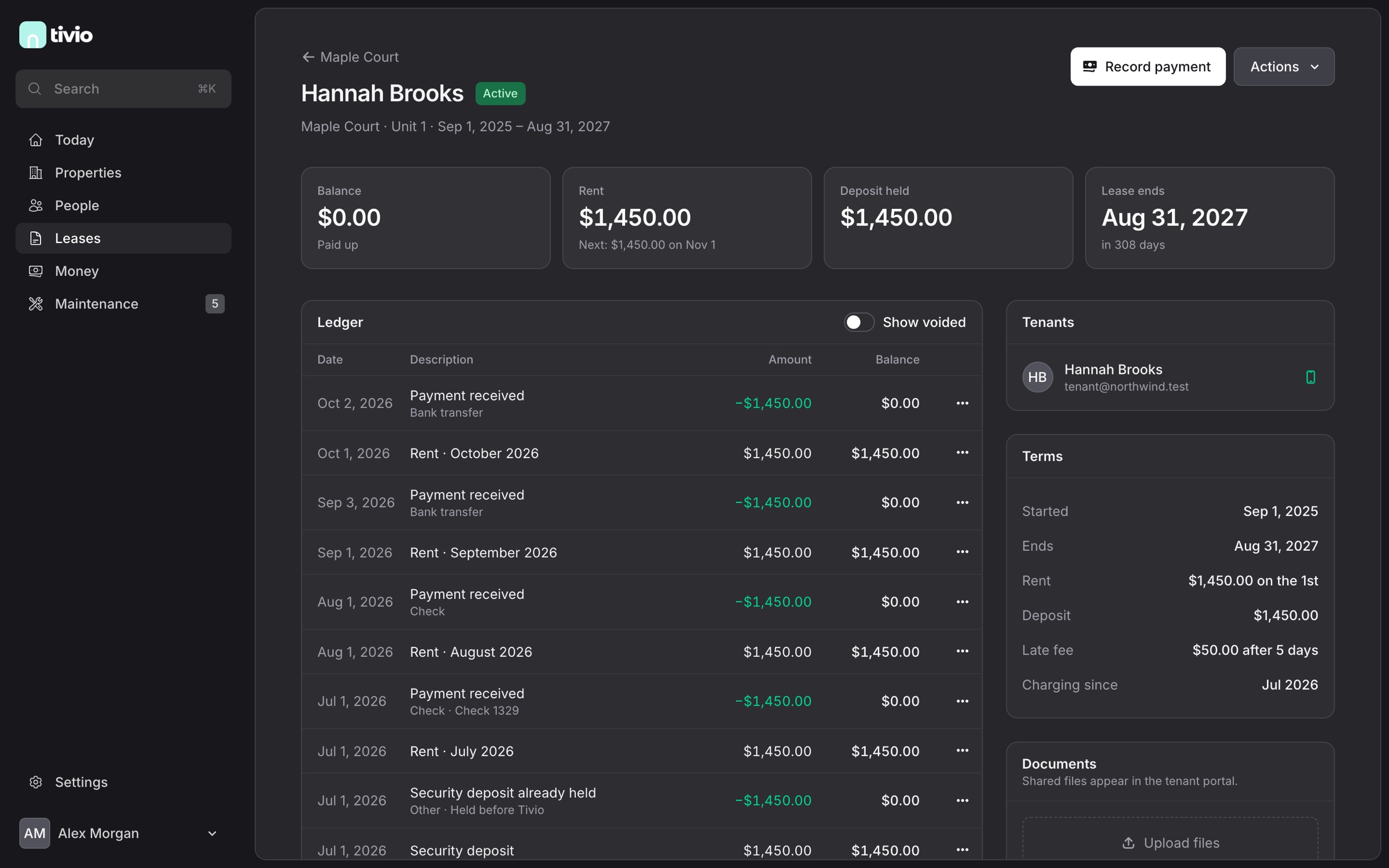
Check a lease
Balance, rent, the deposit you hold and the end date at a glance, the next charge and the late-fee rule spelled out, and the tenant's full ledger with every charge and payment.
05 · 9:30 am
Handle a repair
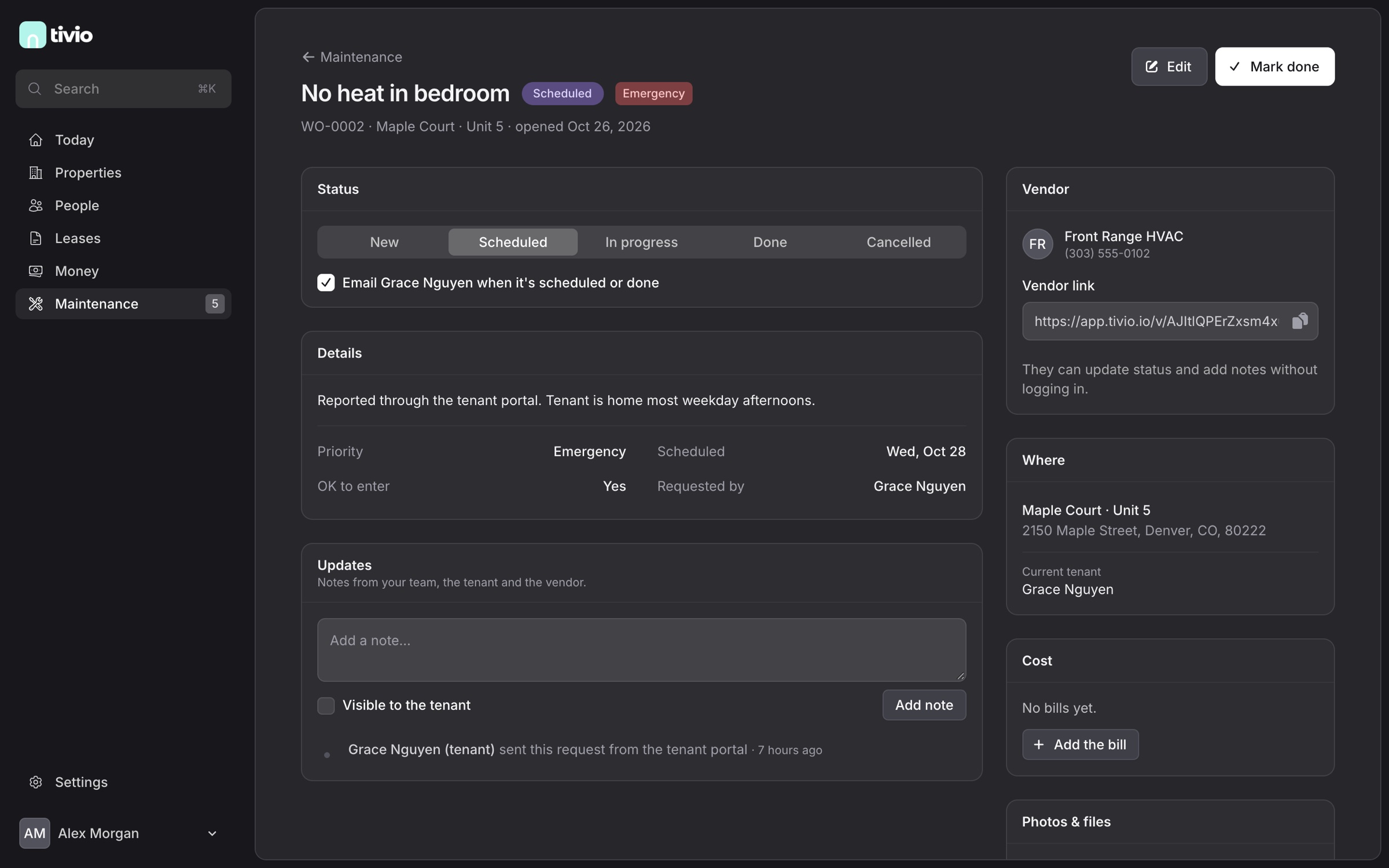
A tenant reported no heat through their portal. Mark it as an emergency, assign the HVAC company and send them the secure link. They update the job without logging in, the tenant is emailed when it's scheduled, and the invoice becomes a bill on the property.
06 · 11:00 am
Pay your owners
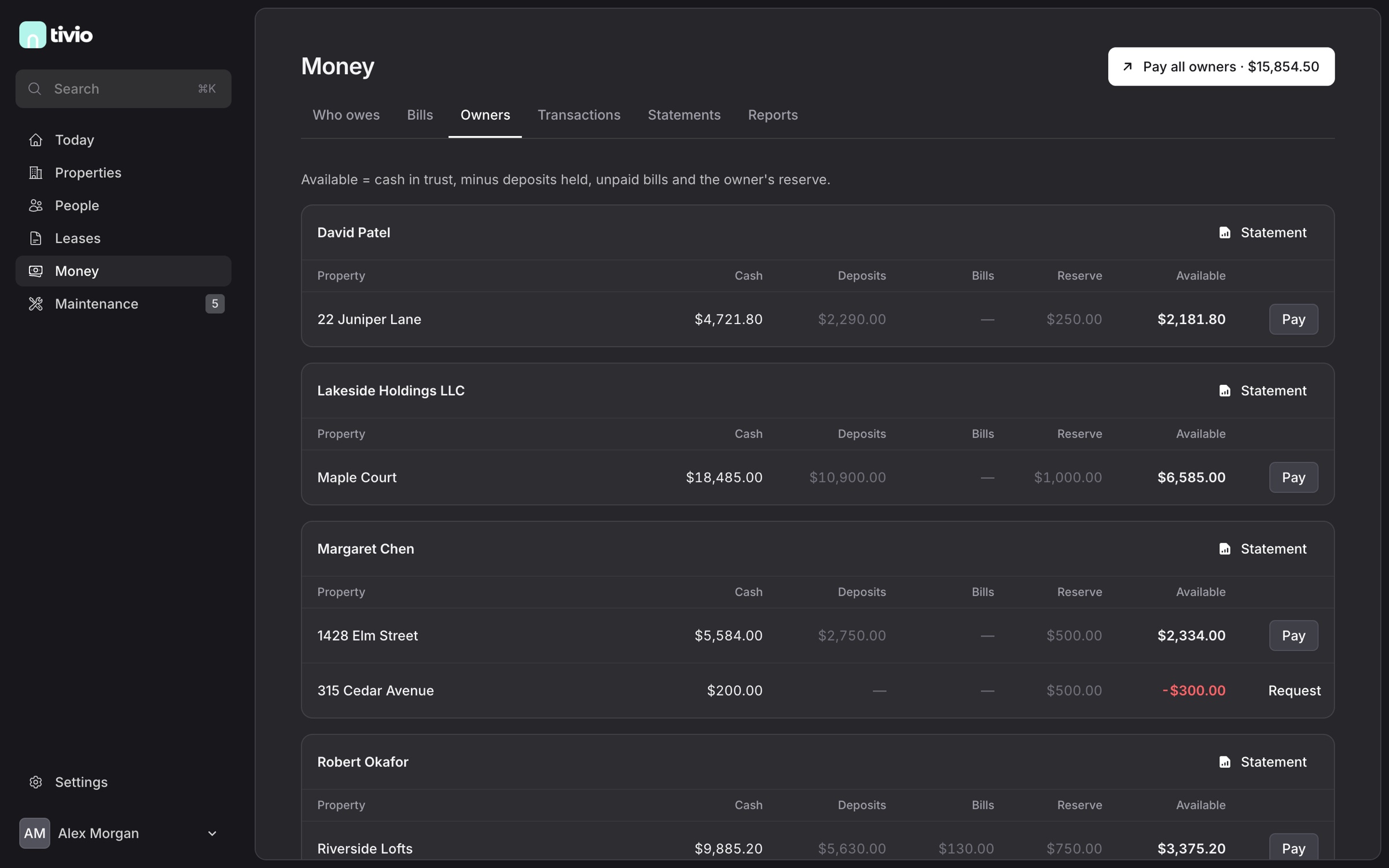
For every owner and property: cash in trust, deposits held, unpaid bills, the reserve and what's available. Pay one owner, or all of them at once. Tivio records the payouts; you send the money from your bank.
07 · 11:15 am
Send the statement
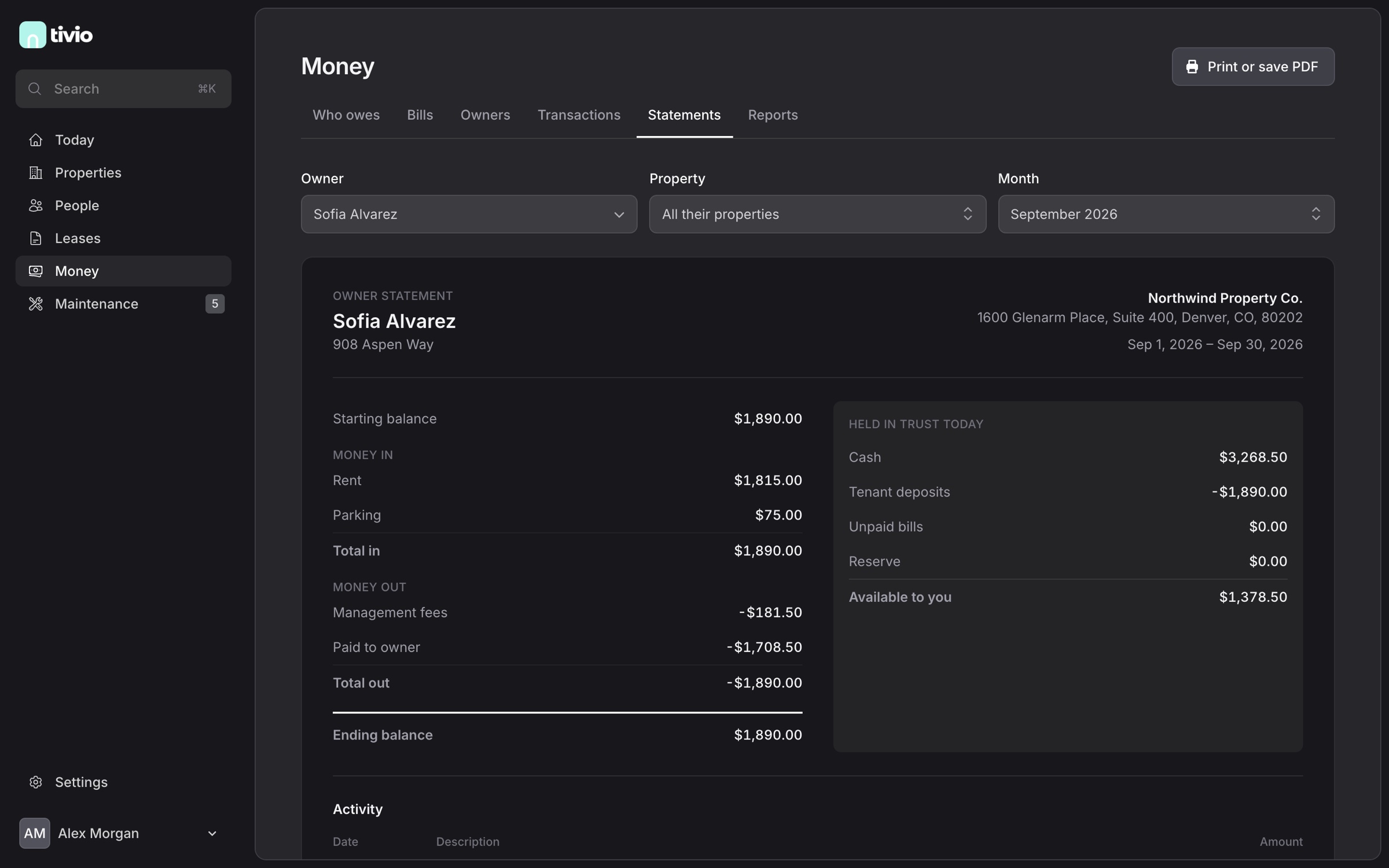
Pick an owner and a month. The statement shows the starting balance, money in, money out, the ending balance and what's held in trust today. Print it or save it as a PDF; owners also find it in their portal.
08 · Any time
What tenants see
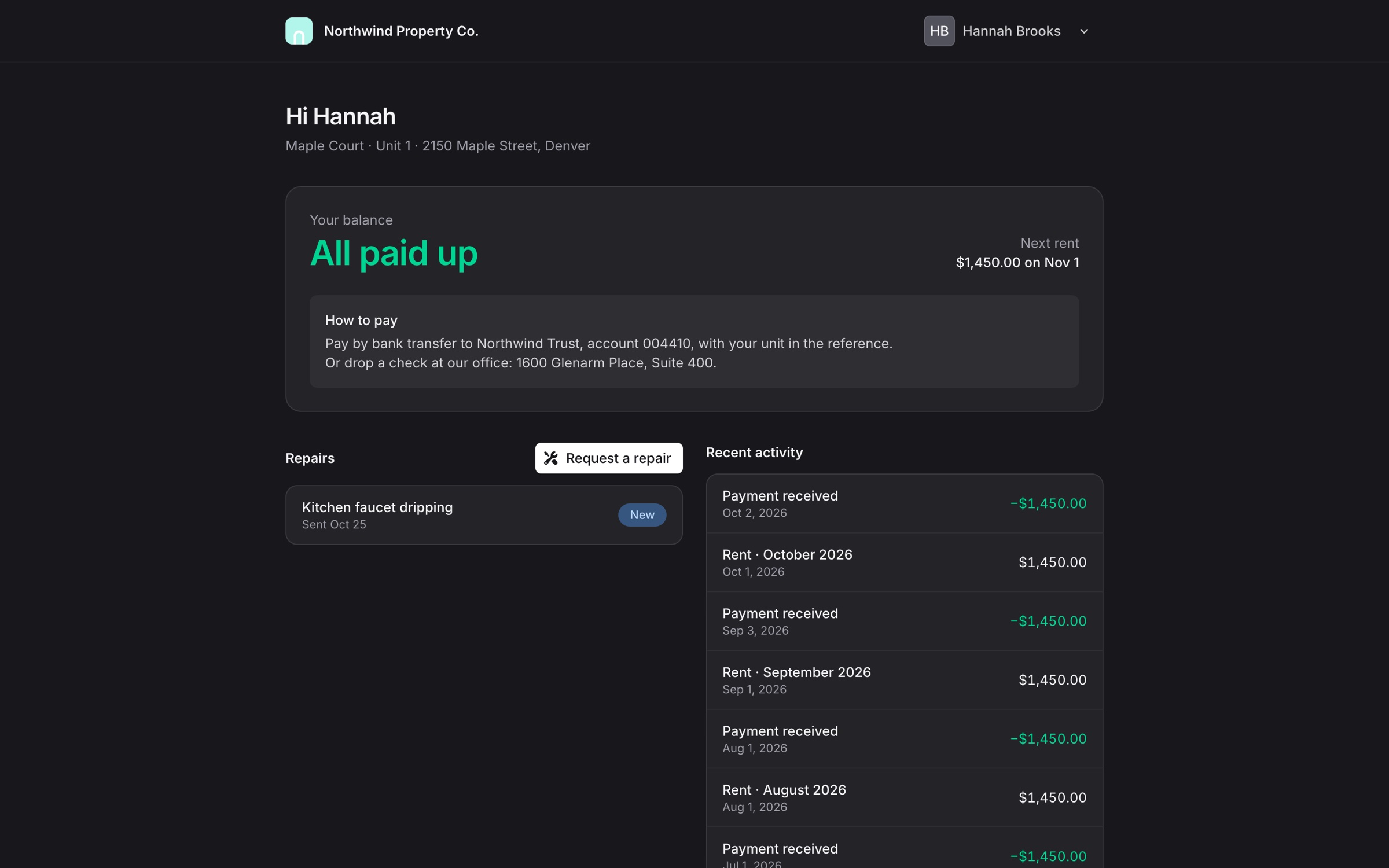
Their balance, the next rent date, your payment instructions, their repair requests and every charge and payment.
09 · Any time
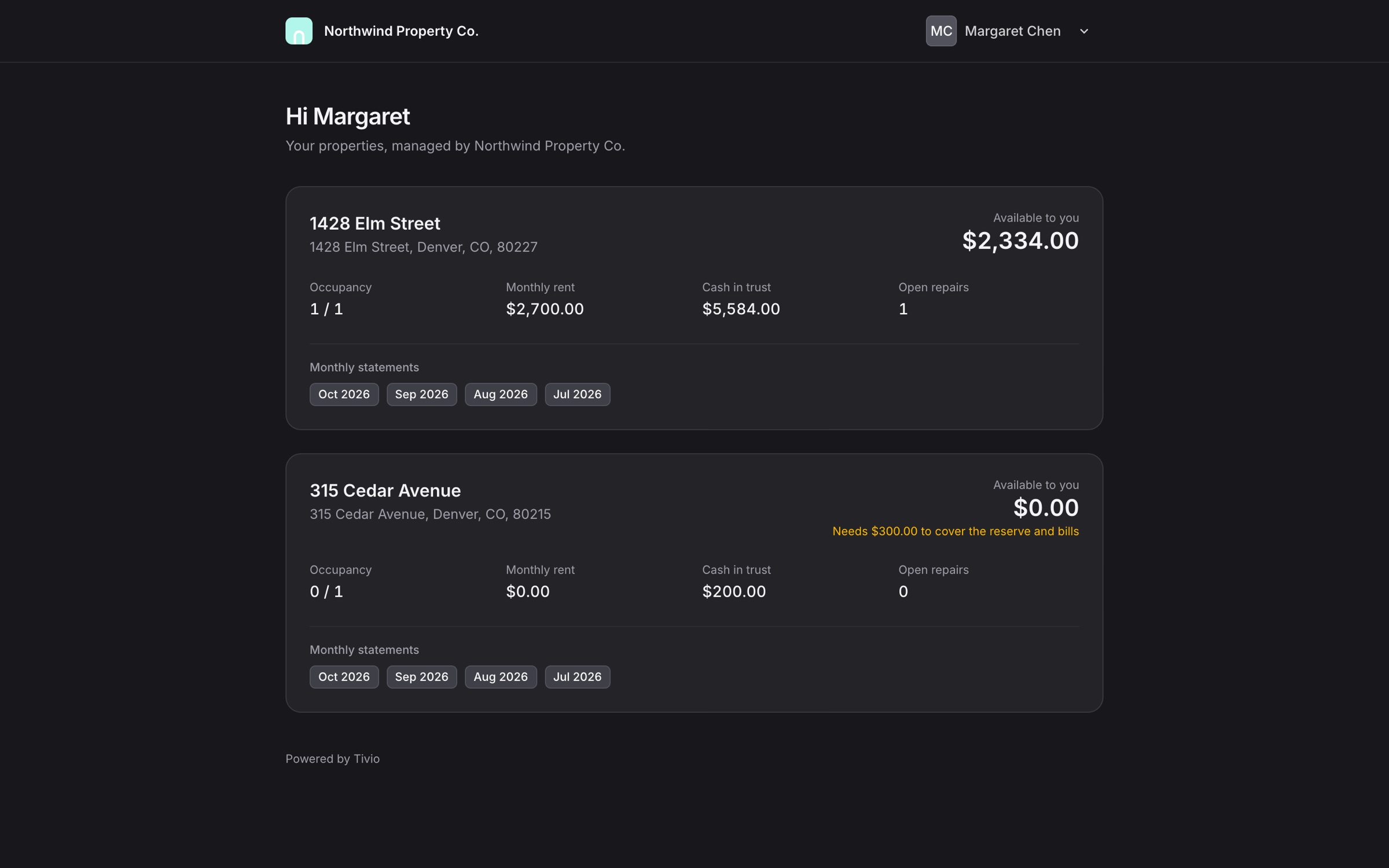
What owners see
Each property with what's available to them, occupancy, rent, cash in trust, open repairs and every monthly statement.
10 · Month-end
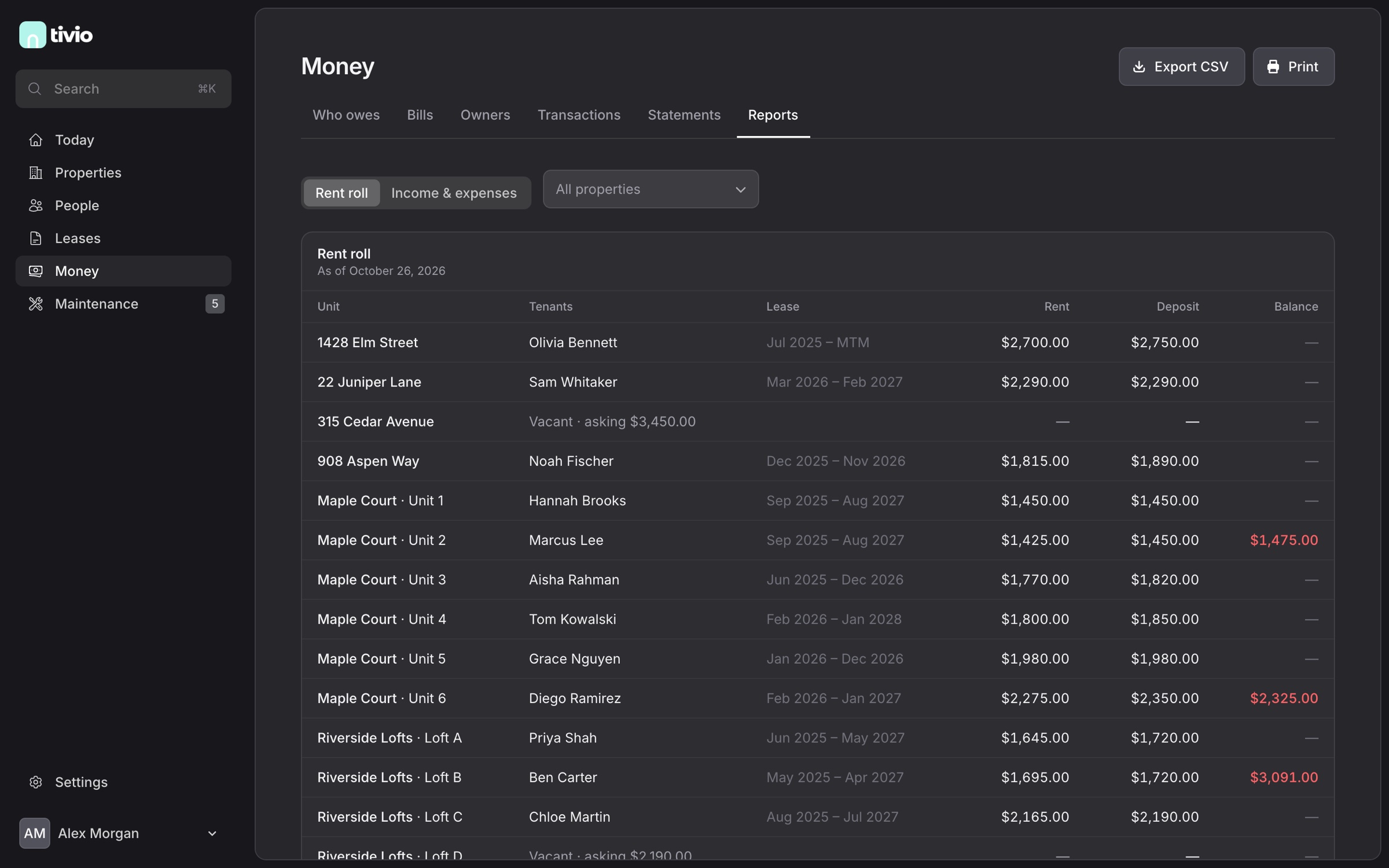
Run the reports
Rent roll, who owes what and cash flow by property, exported to CSV when your accountant asks.